
“Fast and adaptive, easy, and have all the in-use features”.
“Great software as an awesome alternative to WordPress or a general website builder”.
“So easy to tweak the layout and design. I tremendously value the adaptability and ease-of-use of the Odoo website builder”.
Above are 3 of the typical feedbacks from more than 5 million users using Odoo and Odoo website builder. Website is considered an important brand face of every business globally in the digital age. Any business wants to be the most prominent in terms of website identity.
But the challenges of technology and coding make this more distant. Odoo website builder can solve those challenges. This not only presents as an advertising content, but also an affirmation from customers who have used it.
But how? Dive deep into this article to have a clearer view.
What Is Odoo Website Builder?
Odoo Website Builder is a visual website creation tool within the Odoo Website app. It allows businesses to create, edit, and manage web pages through reusable building blocks without requiring advanced coding skills.
Unlike a standalone website builder, Odoo Website can work within the same business ecosystem as CRM, eCommerce, Sales, Marketing, Events, and other Odoo applications. This makes it particularly useful for companies that want their website and operational data to stay connected.
Who Should Use Odoo Website Builder?
Odoo Website Builder is best suited to businesses that want their website to work as part of a broader business system rather than as a standalone channel. It is particularly relevant for companies already using Odoo, growing SMEs, eCommerce businesses, and teams managing sales, marketing, customer data, or multiple markets within the same ecosystem.
Main Features of Odoo Website Builder: Critical Keys for You
Creating a website should be a seamless and enjoyable process. Odoo website builder features ensure that with advanced features and a strong focus on user experience. Below are detailed:
Drag-and-drop Design Interface
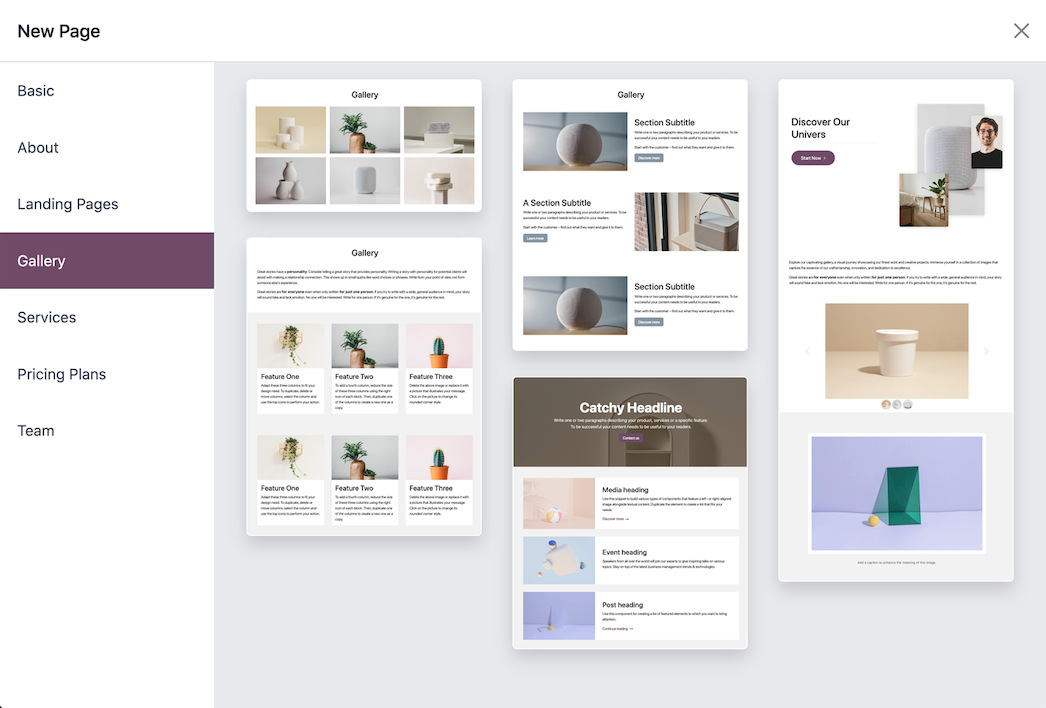
Odoo website builder offers a user-friendly drag-and-drop editor that simplifies the process of creating a website. You can build pages to your liking by selecting and placing pre-designed building blocks onto the platform's canvas.
These blocks from Odoo ERP can be easily adjusted, allowing for extensive personalization without needing any coding skills. The intuitive interface means you can build quality and professional pages in less time. Not coding required, just a bit of design magic!
Intelligent Design Suggestions
Odoo website builder key functions not only provide an intuitive editor, but also provide expert suggestions to enhance your website. It suggests improvements to the layout and placement of content, making it easier to create beautiful pages. The content editor itself mirrors a word processor, allowing for text editing and formatting, which helps in maintaining consistency and quality across the site.
Mobile Optimization
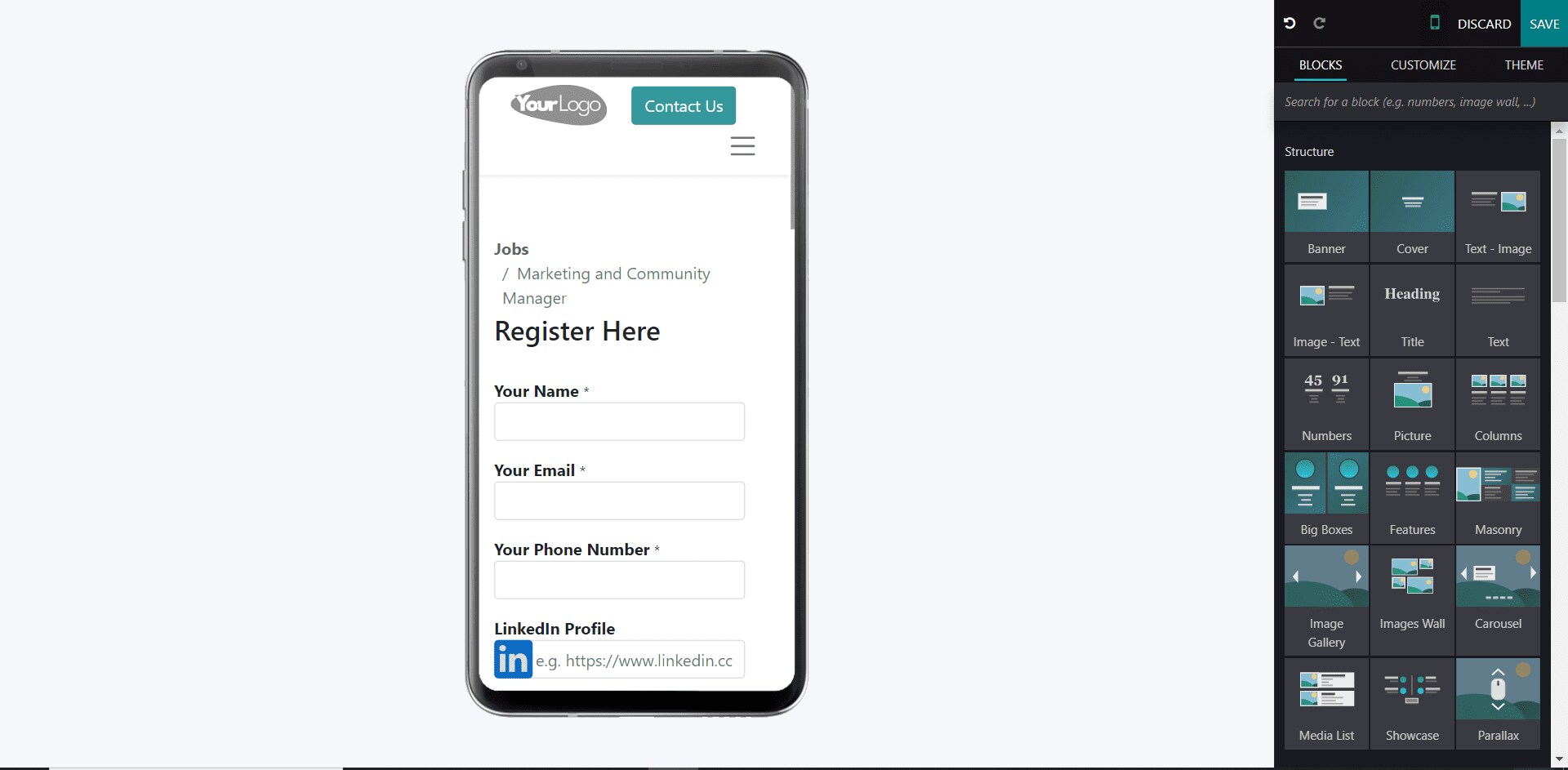
Ever tried fitting a king-size bed into a tiny room? You can make it real with Odoo website builder!
Ensuring your website looks good and formatted correctly no matter what platform it is used on is crucial. Odoo's website builder automatically optimizes your website for mobile screens.
In addition, the preview feature of Odoo ecommerce websites also allows you to check how your website will display on smartphones and tablets, helping you make the necessary adjustments to ensure a smooth user experience across different devices.
Simplified Template Customization
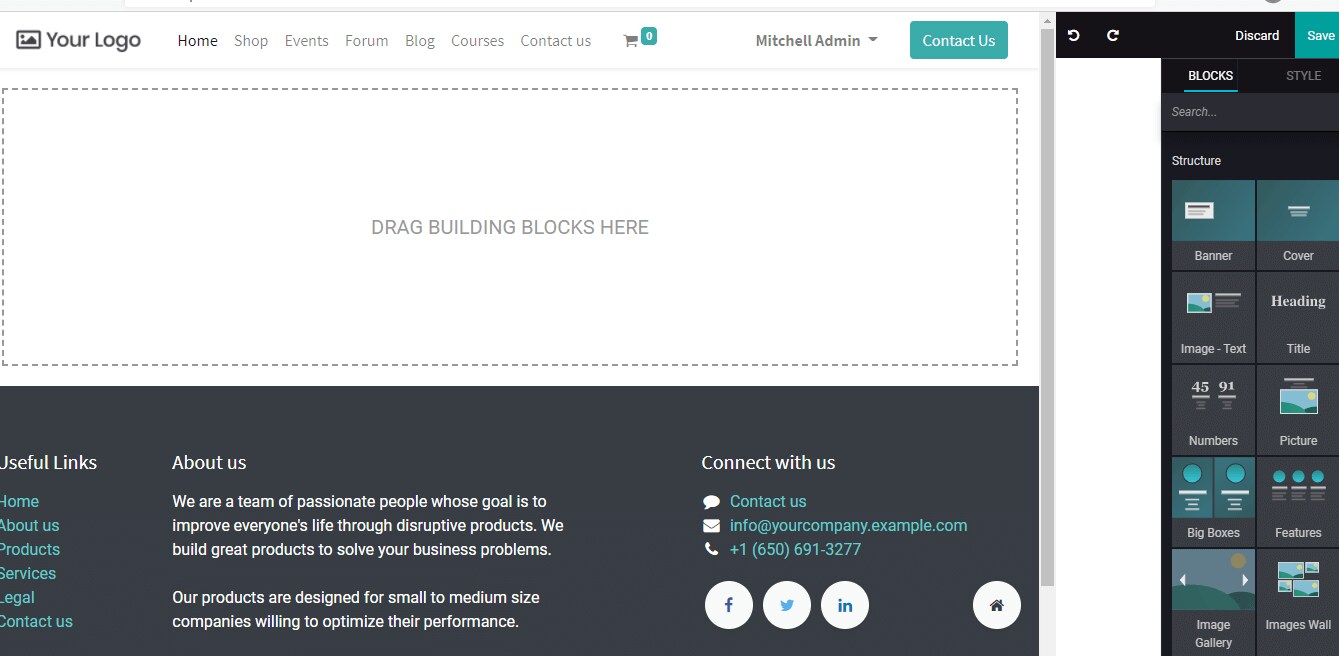
With Odoo’s clean HTML structure and Bootstrap CSS framework, users can design their own templates without digging into CSS coding. This means you can create unique interfaces for your website using simple, intuitive approaches. The system handles the technical details, allowing you to focus on designing and building the functionality of your website without worrying about technical issues.
Seamless Integration with Other Odoo Apps
One of the standout features of the Odoo website builder is its ability to integrate with other Odoo apps, providing users with an all-in-one platform for their enterprise. Whether you need eCommerce, CRM, or email marketing functionalities, all these tools work seamlessly within the web environment.
This integration ensures that every aspect of your business is connected, providing a unified experience for both users and administrators.
Integrated eCommerce
Odoo Website can extend into a fully connected online store through Odoo eCommerce. Businesses can manage products, storefront content, checkout, customer accounts, orders, and delivery flows while keeping online transactions connected with other Odoo applications.
Forms and CRM Lead Capture
Website forms can turn visitor enquiries into structured CRM records without relying on separate lead-capture tools. Contact submissions can create leads or opportunities in Odoo CRM, helping sales teams follow up from the same system used to manage the customer journey.
Real-time Communication
The built-in live chat feature presents as a virtual concierge for your website. This tool from Odoo allows you to provide instant support, answer questions, and interact directly with users. It enhances customer service and improves user satisfaction, while also giving you a leg up on your competitors in the market.
Sales Enhancement Features
The Odoo website builder supports advanced sales strategies such as cross-selling and upselling. These features automatically suggest related products or alternatives, helping to boost sales by prompting customers to consider additional or complementary items.
Multi-language and Multi-site Management
Odoo website builder allows you to manage multiple websites under a single account, each with its own unique URL, layout, and content. This functionality is ideal for businesses that have diverse needs in growing different branches, or want to segment their customer base across different websites.
Built-in SEO Tools
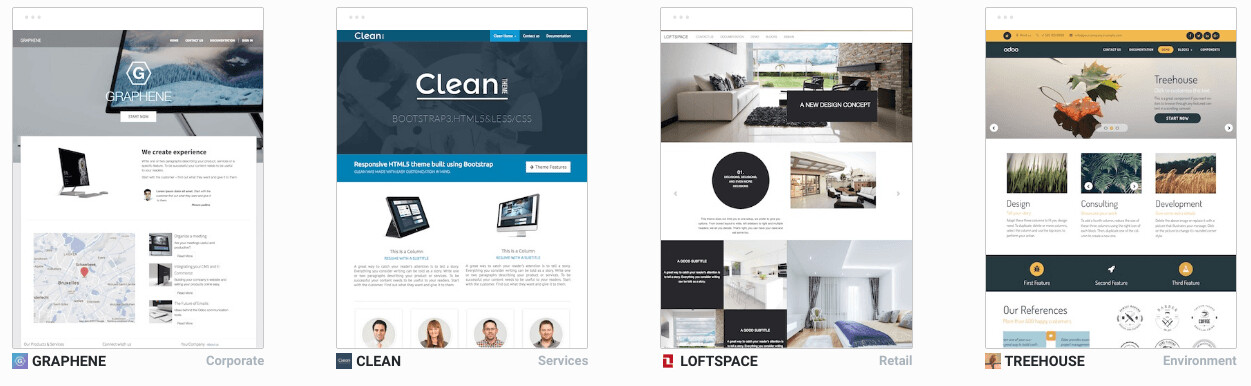
Optimizing your website for search engines is crucial for visibility when your customers research. Odoo website builder includes a suite of SEO tools designed to improve your website’s search engine rankings. They apply essential SEO practices, such as meta tags and keyword optimization, ensuring that your site is easily discoverable by potential customers.
Google Analytics Reporting
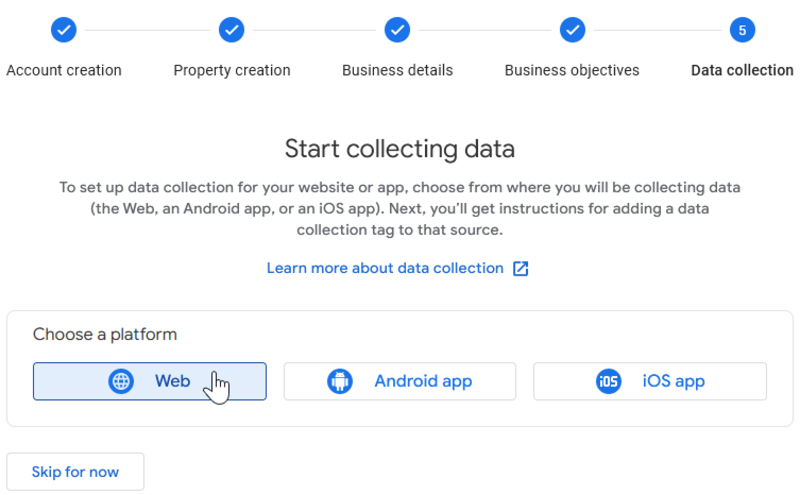
Monitoring website performance is made easier with Odoo website builder’s integration with Google Analytics. Users can access detailed reports and metrics directly within the platform, allowing you to track visitor behavior, analyze traffic sources, and make data-driven decisions to improve your site’s performance. It’s like having a map that guides you through a treasure hunt.
Pros and Cons when Using Odoo Website Builder Functions
When evaluating Odoo website builder before you go live with it, you should really pay attention to its pros and cons to determine how well it fits your needs. We have analyzed these as a guideline for you based on the real reviews from real customers who used this website builder.
Pros | Cons |
|
|
Odoo Website Builder vs WordPress, Wix and Squarespace
Odoo Website Builder, WordPress, Wix, and Squarespace can all support business websites, but they are built around different priorities. The right choice depends on whether you mainly need a website or want the website to operate as part of a broader business system.
Criteria | Odoo Website | WordPress | Wix | Squarespace |
Visual editing | Drag-and-drop blocks | Block editor with extensive extensions | Drag-and-drop editor | Section-based visual editor |
Business app integration | Native Odoo ecosystem | Mainly plugins and external tools | App integrations | Built-in and third-party integrations |
CRM and sales connection | Native with Odoo apps | Usually requires integration | Available through integrations | More limited |
Customization | Standard tools plus custom development | Highly flexible | Moderate | Moderate |
Best suited for | Businesses connecting website and operations | Content-heavy or highly customized websites | Fast standalone website creation | Design-focused business websites |
The main advantage of Odoo is not simply page design. It is the ability to connect the website with processes such as lead management, online sales, marketing, and other Odoo workflows within the same ecosystem.
WordPress offers a much broader plugin and customization environment, while Wix and Squarespace can be attractive for businesses that primarily need a standalone website with straightforward visual management.
Odoo Website Builder Tutorial: How to Build a Website Step by Step
To create an impactful website with Odoo website builder, follow these 5 detailed steps drawn from our expert teams’s experience:
Step 1: Initiate Page Creation
- Start creating a new page with Odoo website builder by going to the website app and clicking the “+New” button in the top right corner.
- Select “Page”, or navigate to “Website - Site - Pages” and click “New”.
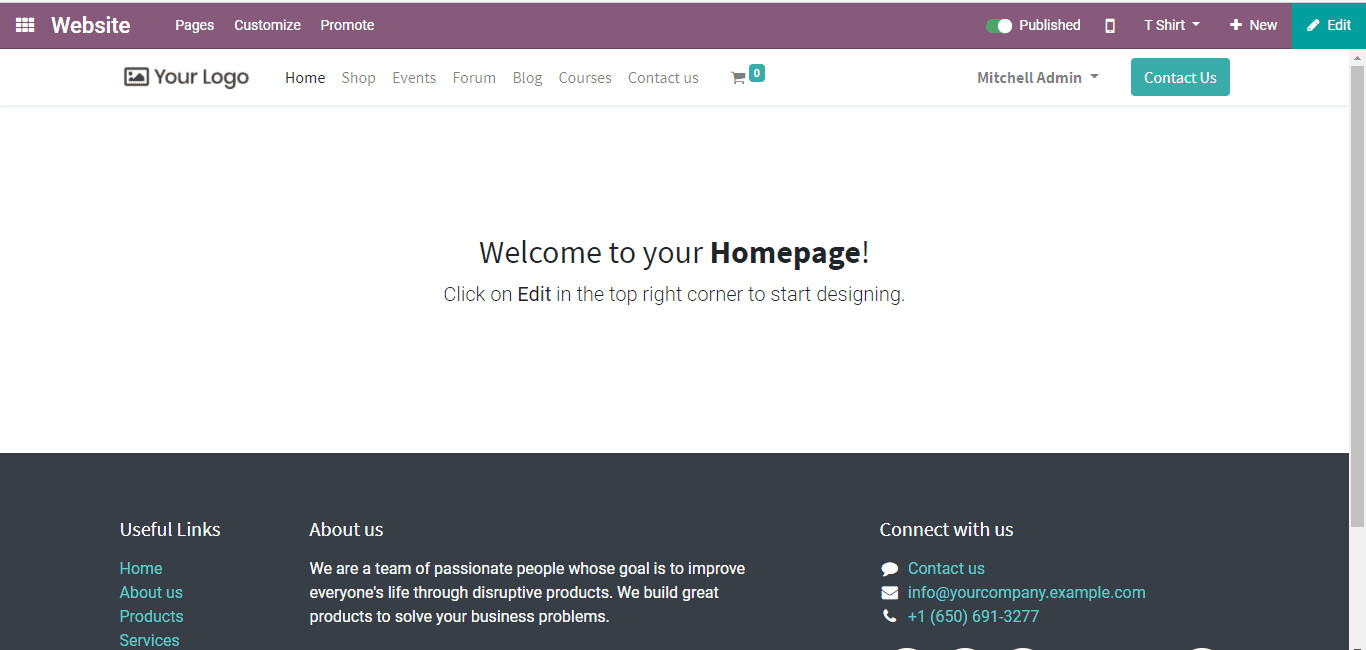
This process allows you to add a new page to your site, thus establishing the foundation for your site structure.
Step 2: Set Title and Customize URL
Enter “Page Title” as the first step in creating your page. This title will appear in your site’s menu and will form part of the page’s URL. This is extremely important for search engine optimization (SEO). Make sure the title is descriptive and relevant to the content of the page.
For example, if you are creating a page for a special promotion for your customers during the summer, consider titles like “Exclusive Summer Sale - [Your Brand]”. This will help increase the visibility and SEO results of your business website.
Step 3: Design with Drag-and-Drop Blocks
Use drag-and-drop building blocks to design your page. These visual blocks can be easily placed on your page, allowing you to add elements like images, text, and functionality without having to write code. This feature of Odoo ecommerce websites also makes it easy to experiment with different layouts and content arrangements quickly and easily.
Step 4: Customize and Style Your Content
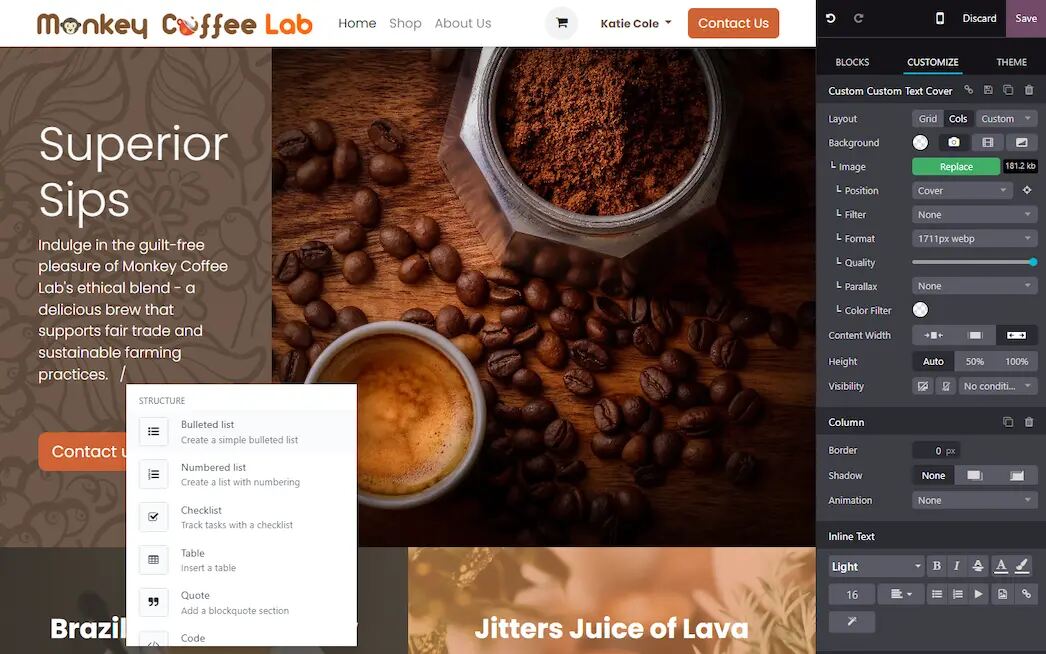
Once you’ve placed your building blocks, customize and style them to match your brand’s aesthetic with Odoo website builder. Modify text, replace images, and tweak layouts to create a visually appealing and user-friendly page. Pay attention to fine details like font choices, color schemes, and spacing to ensure that the page is cohesive and engaging.
Remember, a well-formatted page can significantly improve user engagement and retention.
Step 5: Integrate Dynamic Content and Publish
Integrate dynamic content to enhance the functionality of your page. Odoo website builder allows you to add elements like e-commerce products, newsletter signups, or interactive forms. This valuable integration creates a more engaging and interactive user experience.
Once you’ve reviewed the content and are happy with the design of your Odoo ecommerce websites, publish your page by toggling the switch from “Unpublished” to “Published” in the upper-right corner. Your website will now be live for your customers.
Special Case Studies in Real-life with Odoo Website Builder
To give you a better idea of the power and flexibility of Odoo website builder, we have conducted a case study to demonstrate its effectiveness. The 3 examples below using Odoo website builder highlight the features of Odoo in building websites for each business.
House of Training
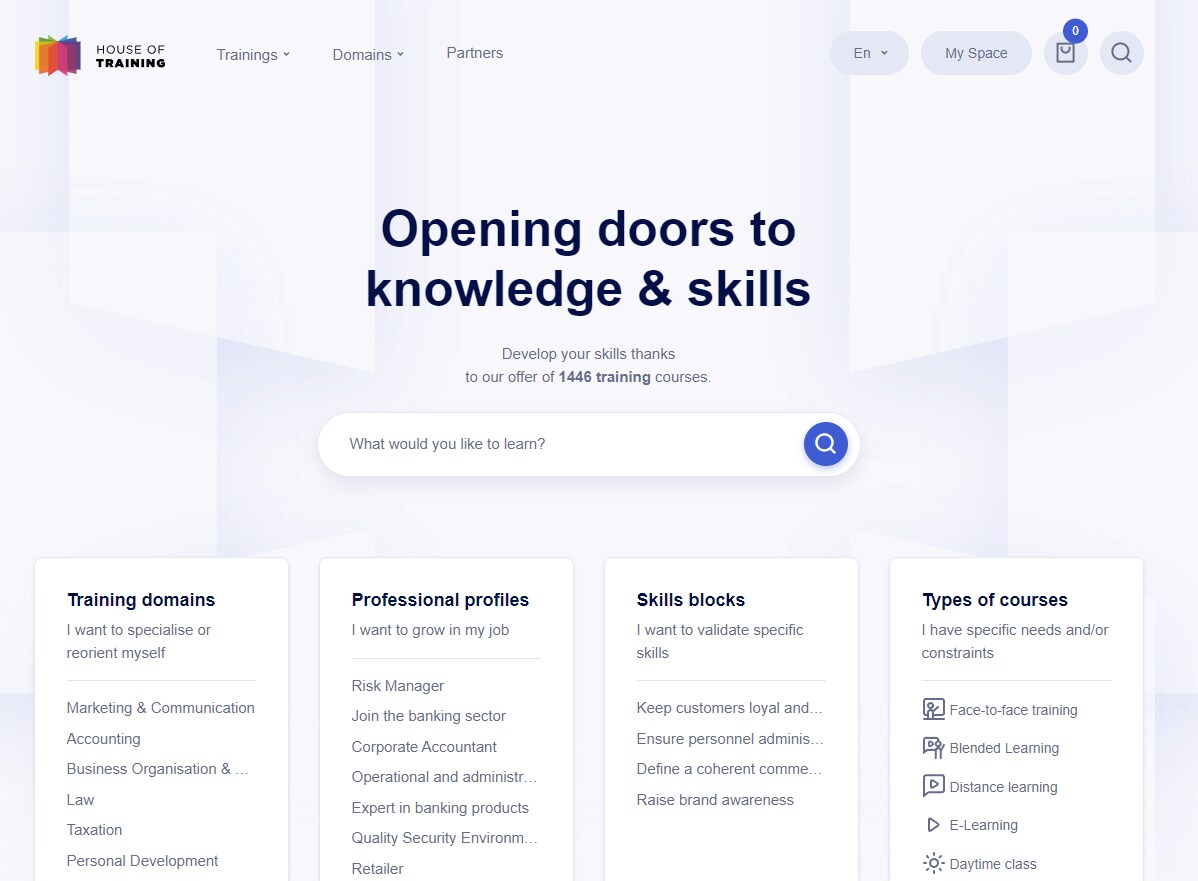
House of Training, a leading training provider, used Odoo website builder to enhance their online presence. Odoo’s intuitive drag-and-drop interface allowed them to quickly create a user-friendly website to showcase their various training programs.
Using Odoo’s dynamic content blocks, they integrated course categories and registration forms seamlessly. The result is a streamlined and professional website that improves user engagement and simplifies the course registration process.
Cytosurge
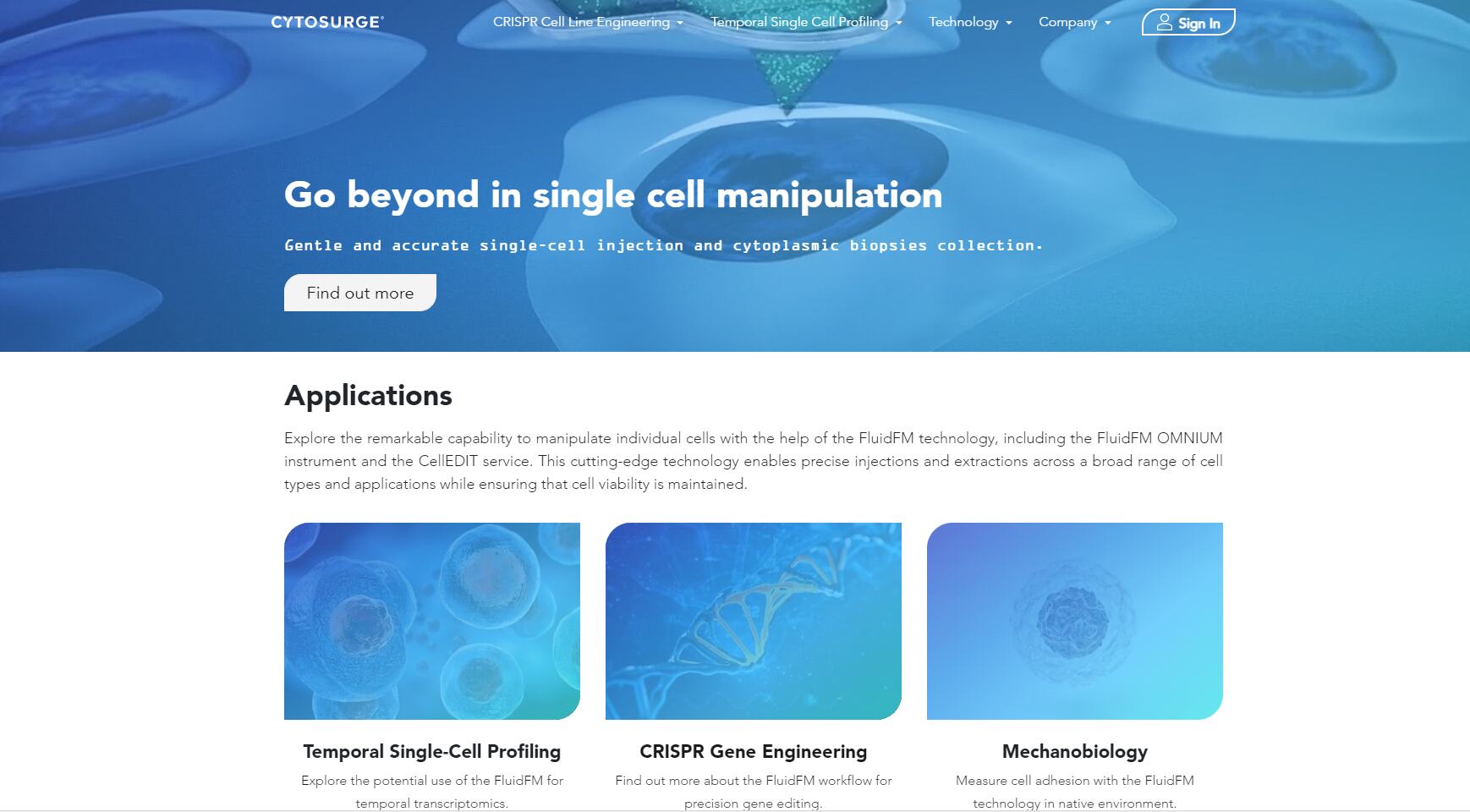
Cytosurge is a company that specializes in microprocessor tools for life sciences. They leveraged the Odoo website builder to create a visually appealing website that highlighted their innovative products.
The customization features of this module also allowed them to design detailed product pages and integrate interactive elements, such as product demos or customer testimonials. Odoo’s built-in SEO tools and dynamic content integration helped Cytosurge increase their online visibility and effectively communicate their technological advancements to a global audience.
Exaddon

Exaddon, known for their excellent 3D printing solutions, used the Odoo website builder to enhance their online presence with a focus on showcasing cutting-edge technologies. Odoo’s ease of use allowed the company to create a professional website with detailed product descriptions, interactive media, and integration with their e-commerce capabilities.
Odoo’s drag-and-drop features and dynamic content creation capabilities made setting up a website incredibly quick and efficient, helping Exaddon attract more potential customers in a highly competitive field like 3D printing.
Latest Odoo Website Builder Capabilities
Odoo continues to expand Website beyond basic page editing, with newer capabilities focused on faster content creation, easier site management, and stronger control over website structure.
AI-assisted Page Creation
Odoo can assist with creating web pages using AI, helping teams establish an initial page structure and content direction before refining it in the visual editor.
Reusable Website Building Blocks
Reusable page elements and design blocks help teams maintain consistent layouts while reducing repetitive work when creating new pages.
Expanded SEO Controls
Odoo Website includes controls for page metadata, URLs, indexing, sitemaps, robots.txt, structured data, and multilingual SEO settings, giving teams more control over how website content is discovered by search engines.
Odoo Website Builder FAQs
Is Odoo Website Builder free?
Odoo Website can be used under Odoo's One App Free plan on Odoo Online. Businesses that require additional Odoo apps, users under other plans, custom development, or different deployment options should evaluate the applicable Odoo pricing model.
Is Odoo Website Builder easy to use?
For standard website creation, Odoo Website Builder is designed for non-technical users. Its visual blocks allow teams to create and update pages without writing code, while developers can handle more advanced customization when required.
Does Odoo Website Builder use AI?
Yes. Odoo supports AI-assisted webpage creation, helping users generate an initial page before refining its content, layout, and design through the website editor.
Do I need coding skills to use Odoo Website Builder?
No coding is required for most standard page-building tasks. Drag-and-drop blocks cover common layouts and website elements, while custom development remains available for more complex requirements.
How much does Odoo Website Builder cost?
The cost depends on how Odoo is deployed and which applications the business uses. Website can qualify for Odoo's One App Free plan, while broader implementations may require a paid Odoo plan and additional implementation or customization services.
How good is Odoo Website Builder for businesses?
Odoo Website Builder is particularly suitable for businesses that want their website connected with Odoo applications such as CRM, eCommerce, Sales, and Marketing. Businesses focused mainly on standalone web design or extensive third-party plugins may also want to compare it with dedicated CMS and website-building platforms.
Final Thoughts
Odoo website builder affirms simplicity and efficiency with just a few simple steps in creating and designing a website. It helps Malaysian businesses no longer worry too much about technical factors, human resources capabilities, or SEO parameters that can affect enhancing visibility.
If you still feel not confident, want to learn more about Odoo website builder or look for an Odoo solution provider to make your website a beautiful picture, don’t hesitate to contact us, A1 Consulting. As an Odoo trusted partner in Malaysia, we are confident to help you with our proven portfolio and expertise in creating websites.

Sally N.
BDM - Partner and Alliance
With over 7 years of experience in ERP advisory, Sally has worked closely with SMEs across Malaysia to streamline operations and drive digital transformation. Her deep understanding of business processes and hands-on approach have made her a trusted advisor to many growing companies. Through this blog post, Sally aims to share practical insights and real-world lessons drawn from her implementation experience, offering guidance to businesses navigating their own ERP journey.